Best AI clip makers for course creators
This page is a decision framework, not a ranked “best of” list. We have tested Opus Clip, Vizard, Submagic, Pictory and Descript hands-on (Descript as an editor, not its clip feature); Riverside is not tested because it had no free plan, so we don’t rank them all.
Quick answer
LessonBench has not ranked all five clip makers yet. In our 21 Oct 2026 test on the same 45-minute lecture, Vizard gave the fastest, cleanest clips on a free plan, Opus Clip produced the most clips, and Submagic had the best caption editor but needed a paid plan to export. Pictory, also tested, is better at turning a script or blog post into a video than at vertical lecture clips: it ignored our 30–60 second length request and had no 9:16 option for clips. Descript’s free plan transcribed our 3:46 sample lesson in under a minute with no word errors, but exports are capped at 720p with a Descript watermark; we did not test its clip feature. Riverside Magic Clips is not tested (no free plan). Pick by your bottleneck: Opus Clip or Vizard for auto clips from a long video or webinar, Descript to edit the whole lesson as text, Submagic for caption-heavy short clips, and Riverside Magic Clips if you already record in Riverside. Before you pay, run your last webinar through one or two shortlisted tools on a free or trial plan and compare usable clips out of 5, caption fixes, export limits and minutes to first publishable short.
Short answer
No overall winner yet, because Riverside is not tested and we did not test Descript’s clip feature. In our 21 Oct 2026 test on the same 45-minute lecture, Vizard gave the fastest, cleanest clips on a free plan, Opus Clip produced the most clips, and Submagic had the best caption editor but needed a paid plan to export. See the full Vizard vs Opus Clip vs Submagic scorecard. Pictory, also tested, is better at turning a script or blog post into a video than at vertical lecture clips: it ignored our 30–60 second length request and had no 9:16 option for clips. See our Pictory notes. Descript’s free plan transcribed our 3:46 sample lesson in under a minute with no word errors, but exports are capped at 720p with a Descript watermark. See our Descript notes.
What course creators actually need
- Turn a 45–60 min lesson or webinar into 5–10 short clips that make sense without the full recording
- Captions that survive technical terms, names, and soft Canadian accents
- Filler removal (“um,” long pauses) without chopping the teaching point
- Vertical + horizontal export, basic branding, and clear export limits on the plan you’d actually pay for
- Time-to-first-usable-clip that fits a weekly content habit, not a full production day
Tools we compare
Prices below are not quoted here. Check the vendor pricing page on the day you buy; plans change often. Affiliate buttons currently open the vendor homepage until programs approve us.
| Tool | Where it usually fits | LessonBench status | Link |
|---|---|---|---|
| Opus Clip | Auto clips from long video | Tested 21 Oct 2026 | Try Opus Clip |
| Descript | Text-based edit of the full lesson + clips | Tested 21 Oct 2026 (editor; clips not tested) | Try Descript |
| Vizard | Webinar / long-form → clips | Tested 21 Oct 2026 | Try Vizard |
| Submagic | Caption-heavy short clips | Tested 21 Oct 2026 | Try Submagic |
| Pictory | Script or blog → video; long video → clips | Tested 21 Oct 2026 | Try Pictory |
| Riverside (Magic Clips) | Record there, then clip | Not tested: no free plan | Try Riverside |
Pictory: tested 21 Oct 2026
Where it fits: turning a script, blog post or outline into a stock-footage video. It is less suited to cutting vertical clips from a lecture.
- Strengths. A generous free trial (300 AI credits, no card). On our 45-minute lecture it had a transcript in about 2 minutes and clips found in about 2 min 20 s, for 1 credit. Our own 535-word teaching script became a 52-scene outline in about 2 minutes and a finished 4:04 1080p video (about 19 credits), with mostly relevant stock visuals.
- Weaknesses. We asked for 3–5 clips of 30–60 seconds and got 4 clips of 2:00–2:46, and rendering them took about 9 minutes. The clips view had no 9:16 option (only caption styles and branding), so our clip exported at 16:9 (1920×1080). Asked to follow the script word for word, it paraphrased the captions and on-screen text, and some caption text was clipped or faded. On the one clip transcript we checked, it was mostly correct but kept filler words, wrote “2,006” for 2006 and had one line out of order. Trial exports carry a “Created with PICTORY” watermark.
- Cheapest plan without the watermark: Starter, $25/month billed annually (USD, as shown 21 Oct 2026). Professional was $35/month billed annually.
- Not tested: the 9:16 option offered for script-to-video, and paid-plan features.
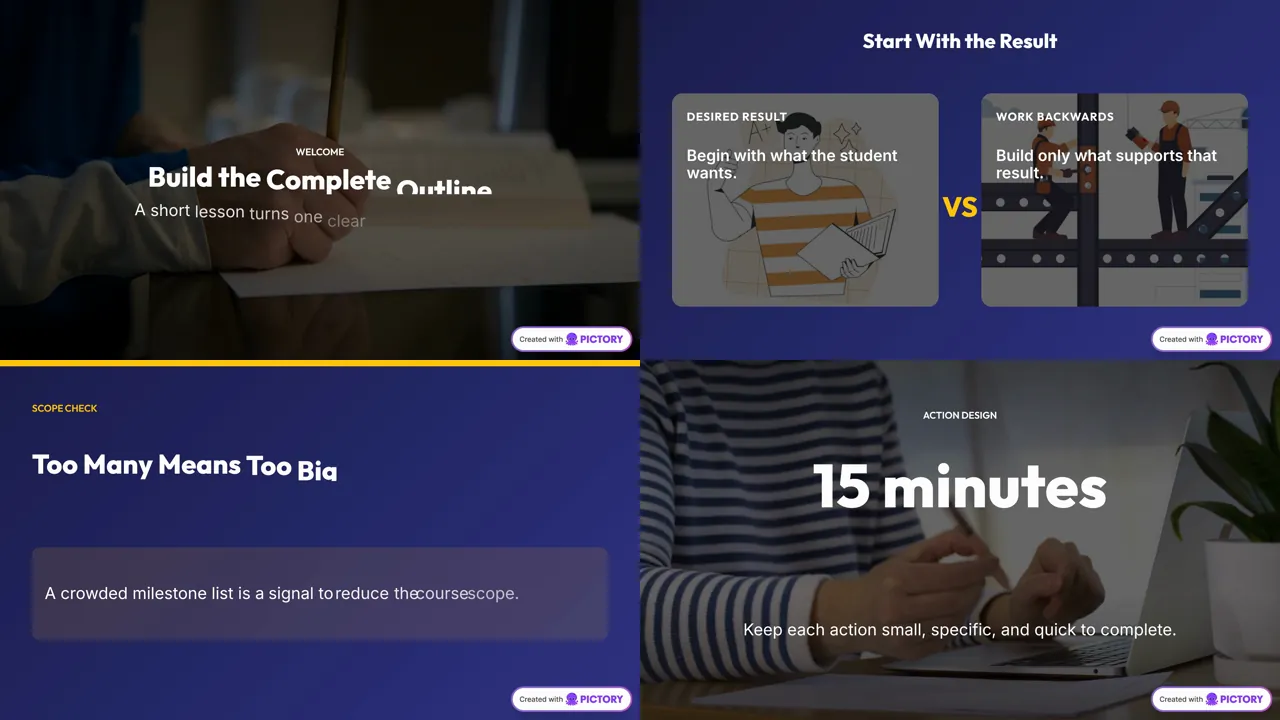
Our take: Pictory is good for quickly turning scripts and blog posts into videos. For vertical clips from a recorded lecture, Vizard and Opus Clip did better in our test. Try Pictory
Descript: tested 21 Oct 2026
Where it fits: editing a lesson you already recorded, by editing its transcript. We tested the editor on the free plan, not its clip feature.
- Strengths. Our 3:46 sample lesson uploaded in about 8 seconds and the transcript was ready in under a minute, matching our 529-word script word for word (on a clean synthetic voice, so real recordings will be harder). Remove filler words and Studio Sound both work on the free plan.
- Weaknesses. Free exports are 720p or 480p with a Descript watermark, and we had to publish a share link before we could download. The free plan has 100 AI credits in total, not per month; Studio Sound used 4.5 of them.
- Cheapest plan for 1080p without the watermark: Hobbyist, $16/month billed yearly or $24 monthly (USD, as shown 21 Oct 2026).
- Not tested: clip creation, Overdub and voice cloning, filler removal on real speech, and paid-plan features.
Full Descript scorecard and screenshots · Try Descript
How to use this page before our scores land
- Pick your bottleneck: auto-find hooks, edit the whole lesson as text, captions only, or record+clip in one place.
- Run your last webinar through 1–2 shortlisted tools on a free/trial plan.
- Score yourself on: usable clips out of 5, caption fixes needed, export limits hit, and minutes to first publishable short.
- Re-check this page after we publish dated screenshots. We will update the status column and add a dated short answer.
How we’ll test each tool
Each tool will get the same sample lesson, and we will record the same notes for each:
- What we tested (file, plan and date)
- Time to first usable clip
- Caption notes (names, jargon, accents)
- Limits on the plan tested
- Dated screenshots
Results so far: Opus Clip, Vizard and Submagic (see the three-way scorecard) and Pictory, plus Descript as an editor. Riverside is not tested: it had no free plan.
Try the tools (referral links): Opus Clip Descript Vizard Submagic Riverside Pictory
Related guides
Affiliate status does not affect order. See method.
Affiliate disclosure: LessonBench may earn a commission when you buy through some links on this page, at no extra cost to you. This never changes our picks. Commissions never decide rankings; tools without affiliate programs stay if they fit. We don’t publish fake reviews or invented results.